
Train Fast,
Click
Smarter

Build your endurance, rhythm, and timing with CPS, Butterfly, Kohi, Double Click, Spacebar, and Drag challenges. Every test is crafted to improve accuracy and coordination across different clicking styles. Perfect for gamers, speed testers, and anyone looking to train smarter, not just harder.


Butterfly Clicks Test
Balance speed with coordination
Start Game

Double Click Test
Optimize your double-tap precision
Start Game

Spacebar Counter
See how fast your reflexes really are
Start Game

Drag Click Test
Test grip strength and consistency
Start Game

Kohi Click Test
Fine-tune your PvP clicking control
Start Game

Right Click Test
Test your control and reaction speed
Start Game

CPS Test
Train your clicking endurance and rhythm
Start Game

Jitter Click Test
Experience the fast-paced challenge
Start Game

Badlion Click Test
Competitive click timing test
Start Game

Left Click Test
Test your primary click speed
Start Game
Train Fast, Click Smarter
Build your endurance, rhythm, and timing with CPS, Butterfly, Kohi, Double Click, Spacebar, and Drag challenges. Every test is crafted to improve accuracy and coordination across different clicking styles. Perfect for gamers, speed testers, and anyone looking to train smarter, not just harder.
Butterfly Clicks Test
Balance speed with coordination
Start Game
Double Click Test
Optimize your double-tap precision
Start Game
Spacebar Counter
See how fast your reflexes really are
Start Game
Drag Click Test
Test grip strength and consistency
Start Game
Kohi Click Test
Fine-tune your PvP clicking control
Start Game
Right Click Test
Test your control and reaction speed
Start Game
CPS Test
Train your clicking endurance and rhythm
Start Game
Jitter Click Test
Experience the fast-paced challenge
Start Game
Badlion Click Test
Competitive click timing test
Start Game
Left Click Test
Test your primary click speed
Start Game
What Does CPS Training Mean?
- Choose a Mode — CPS, Spacebar, or Right Click.
- Follow the Timer — The clock starts, and your mission begins.
- Check the Score — See your click count and CPS instantly.
- Analyze Growth — Revisit results and measure personal progress.
Why Practice CPS Tests Regularly?
How Can I Improve My CPS?
Test Name
Focus Metric
Training Goal
Overall speed
Consistency
Dual clicks
Coordination
PvP-style rhythm
Accuracy
Paired timing
Precision
Long-session focus
Stamina
Grip accuracy
Stability
Test
Skill Type
Measure clicks per second in set time
Main Action
CPS
Test
Skill Type
Two-finger alternating technique
Main Action
CPS
Test
Skill Type
Controlled rapid clicks
Main Action
Low
Test
Skill Type
Alternating finger explosiveness
Main Action
Low
Test
Skill Type
Tests endurance and rhythm
Main Action
Keypresses per time
Test
Skill Type
Friction-based multiple clicks
Main Action
High
Benefits Of Play Click Tests
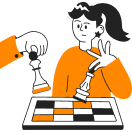
Boost Your Clicking Speed
CPS Test and Spacebar Counter train rapid-fire tapping to maximize your clicks per second. These exercises push your fingers to achieve new speed records while maintaining accuracy. Regular practice builds muscle memory for faster performance in games and daily tasks.
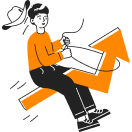
Train Timing Accuracy
Double Click Test and Butterfly Click Test develop precise rhythm and sequential timing. These drills enhance your ability to execute perfectly timed click combinations consistently. The skills directly improve performance in games requiring precise combo execution.

Refine Reflexes
Kohi Click Test and Jitter Click Test sharpen instant reactions under pressure. These simulations train your nervous system to respond faster in critical moments. Such conditioning is invaluable for competitive gaming where split-second decisions matter.

Enhance Consistency
Drag Click Test focuses on sustaining steady speed through long clicking sequences. This method builds exceptional hand control and endurance for extended use. Consistent practice develops reliable performance for both gaming and computer work.